


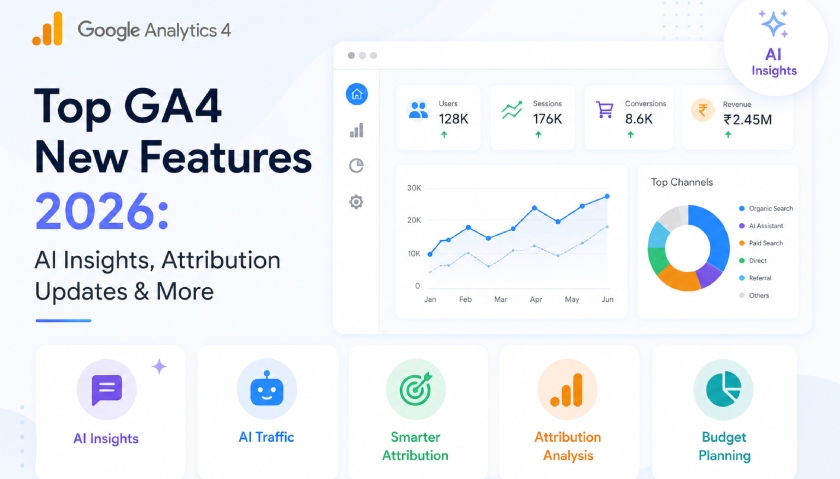
Top GA4 New Features 2026: AI Insights, Attribution Updates & More
-
Author
Saurabh Garg -
Publish
June 23, 2026 8:20 am -
Read Time
7 Min
 Lets talk











Fill in the Form below for a no-string attached free technical discussion.
Key takeaways
- GA4 in 2026 shifted from reporting to decision support, AI insights, attribution clarity and planning.
- Analytics Advisor answers data questions in plain language; AI Assistant traffic is now its own channel.
- Per-conversion attribution and the Conversion Attribution Analysis report finally credit the full journey.
- Cross-channel budgeting turns GA4 into a planning tool, but only with clean data and imported spend.
- Foundations first. Every feature here rewards a tidy setup and punishes a messy one.
GA4 spent its first few years being the tool everyone had to use. In 2026, it became a tool worth using on purpose. Google shipped six notable updates this year, and the theme behind all of them is simple: less time hunting through reports, more time acting on what the data says.
If you run marketing for a SaaS company in Bengaluru, a D2C brand in Mumbai, or a services firm selling to clients abroad, these changes affect how you measure spend, credit channels, and prove ROI to leadership. Below is a plain-English walkthrough of each feature, why it matters, and what to check before you trust the numbers.

Analytics Advisor is a conversational assistant built on Google’s Gemini models and baked straight into the GA4 interface. It reached general availability for English-language Standard and 360 accounts in December 2025. At Google Marketing Live 2026 (May 2026), Google folded it into a broader, still-in-beta agent called Ask Advisor — the same in-product assistant you now see inside GA4, but one that also reaches across Google Ads, Merchant Center and Display & Video 360. So if you see either name, they point at the same Gemini helper in your property. Click the sparkle icon in the top-right corner, type a question, and you get a written answer with charts and links to the right reports.
It works best with specific questions, not vague ones:
For lean teams, this is a real time-saver. A question that used to mean building a custom exploration now takes thirty seconds. One caveat worth repeating: the answers are only as good as your tracking. Messy events and duplicate conversions mean Advisor will surface wrong answers faster than you could find them by hand. Clean setup first, AI second.
Note for Indian users: the feature launched English-first. If your interface is set to another language, switch it to English to access it early. (See Google’s Analytics Help on Ask Advisor for eligibility.)
For over a year, the most common question from clients has been some version of: “Are people finding us through AI tools, and can we measure it?” Until May 2026, the honest answer was “sort of, if you dig.” That traffic usually landed under referral or got lost in “other.”
GA4 now classifies AI assistant traffic on its own. The change landed on 13 May 2026 and reached most properties by early June. Visits from recognised AI assistants- Google named ChatGPT, Gemini and Claude at launch, and its published channel definition has since kept evolving- get a dedicated treatment across three dimensions. If you want to understand what drives visibility in these channels, our breakdown of top ranking factors for AI search in 2026 is a useful companion read.
Volume is still small for most Indian businesses today — don’t expect a flood. The point isn’t the number this quarter. It’s that you can now watch it grow and check whether those visitors turn into leads or buyers. Treat AI Assistant as a new acquisition channel sitting next to Organic Search, not a replacement for it. As more buyers research through AI before they ever click, this is the line in your reports worth watching.
Know what the channel does not catch, so you don’t over-report it. Four gaps matter. It is forward-only: GA4 does not backfill, so anything before 13 May 2026 stays in Referral, and that date is your baseline. Perplexity, one of the highest-intent AI sources, is not in the native channel and still lands under Referral, so build a custom channel group if you want it counted. Many AI visits arrive with no referrer (often from mobile apps), so they show up as Direct rather than AI Assistant. And clicks from Google’s own AI Overviews and AI Mode are counted as Organic Search, not AI Assistant, because they happen inside Google Search. The flip side worth noting: the AI traffic GA4 does capture tends to convert at a higher rate than typical organic or referral visits, so even small numbers are worth watching closely.
Announced in January 2026, this one is quietly important. Earlier, every conversion in a property shared the same attribution model and the same lookback window. A newsletter signup and a ₹40,000 purchase were judged the same way. That never made sense.
Now you can configure attribution settings independently for each conversion. You’ll find these controls in the Advertising section under Conversion Management. A few practical points:
A word of warning on DDA: it needs volume to work. As a rough guide, GA4 needs around 400 conversions for that specific key event and roughly 20,000 conversions across all events within the lookback window, or it may quietly fall back to a simpler paid-and-organic last-click view without telling you. So check which of your reports are modeled and which are observed before you present them as gospel.
Keep your conversion list honest. Most accounts mark far too many micro-actions as conversions. Pairing clean conversions with proper UTM parameter tracking makes your attribution picture significantly more reliable. A clean structure looks like this:
Also introduced in January 2026 and still in beta for many properties, this report tackles the oldest problem in measurement: last-click bias. You know the pattern: someone pauses an awareness campaign because it “isn’t converting,” and overall performance drops a week later because that campaign was creating demand all along.
The new report breaks journeys into Early, Mid and Late stages and separates single-touch paths from multi-touch ones. It surfaces assists — the touchpoints that pulled someone in before the final click. In GA4, it shows up as two views: Assisted conversions (the early, pre-last-click touchpoints) and Refined funnel analysis (the Early/Mid/Late, single- versus multi-touch breakdown). For Indian B2B and considered-purchase businesses, where buying cycles run long and span several visits, this is the report that helps you defend upper-funnel spend with evidence instead of a hunch.
If you want to visualise this multi-touch journey data alongside your other metrics, pairing it with SEO dashboards in Looker Studio can give leadership a single reporting view that’s hard to argue with.
If you don’t see it yet, your property likely isn’t in the current rollout. It’s worth checking back monthly.
This is arguably the most telling release of the year. Cross-channel budgeting (in beta) lets you run “what-if” budget scenarios across your full paid media mix, including platforms outside Google and see predicted impact on conversions and revenue. For teams already running PPC campaigns across multiple channels, this is the planning layer that was missing.
That’s a genuine shift in what GA4 is for. It moves from answering “what happened last month?” to helping you plan “what should we spend next quarter?” Use it to pressure-test allocation and win buy-in from finance, then check the forecast against real performance as campaigns run. It’s a planning aid, not a promise.
One honest limitation: these forecasts only hold up if GA4 can see your spend and your conversions are clean. Import cost data from your ad platforms and keep your conversion list tight, or the projections will be confident and wrong.
Two smaller updates point at the same goal, making GA4 less of a black box for people who aren’t full-time analysts.
Rolled out in May 2026, Task Assistant is a built-in setup checklist that sits in the left navigation. It looks at what you’ve configured, flags what’s missing, and a “Take action” button drops you straight onto the right settings page. It groups fixes into clear buckets: connecting accounts (Google Ads, Search Console, BigQuery), improving reporting, and fixing data issues, including privacy-related ones like data thresholding in GA4. It won’t catch everything, but it surfaces the gaps most teams never notice.
Live on the GA4 home page since February 2026, Generated Insights automatically highlights what changed since your last visit: a traffic spike, a conversion dip, a seasonality shift, or an anomaly. For anyone managing several properties, it answers the eternal “where do I even start?” question the moment you log in. It’s a good first signal; for a more structured approach to diagnosing drops, our SEO health checklist walks through the full diagnostic process.
Not every update deserves the same urgency. A sensible order for most Indian teams:
If your tagging, events, or conversion setup are shaky, fix that before you lean on any of this. This is exactly the kind of groundwork a GA4 consultancy handles: a structured audit, a clean migration where needed, and an attribution model that matches how your buyers actually behave.
Is GA4 Analytics Advisor free to use?
Yes. Analytics Advisor is available on both Standard (free) and 360 GA4 properties for eligible accounts, at no extra cost. It launched English-first, so set your interface to English if you can’t see it yet. The data you get out of it is only as reliable as your underlying tracking.
How do I track ChatGPT or Claude traffic in GA4?
From May 2026, GA4 classifies AI assistant visits automatically under a dedicated “AI Assistant” channel group, with an ai-assistant medium. You don’t need custom setup but availability is still rolling out, so check your Traffic Acquisition report and channel groupings. For more context on why AI search citations matter for B2B brands, we’ve covered the bigger picture separately. Two things to keep in mind: the channel only counts forward from 13 May 2026 (it doesn’t reclassify older data), and it doesn’t catch everything. Perplexity still lands under Referral, and visits with no referrer (common from AI mobile apps) show up as Direct. A custom channel group is the fix if you need full coverage.
What is per-conversion attribution in GA4?
It lets you set a different attribution model and lookback window for each conversion type, rather than applying one rule to everything. A signup and a purchase can now be credited differently. You’ll find the controls under Advertising › Conversion Management, and settings apply per property.
Do I need a GA4 agency to use these features?
Not strictly; the tools are built to be approachable. But the value comes from clean data and the right attribution choices, which is where most setups fall down. A specialist GA4 agency or analytics partner helps with implementation, conversion hygiene, attribution strategy, and turning these reports into decisions. If GA4 is central to how you allocate budget, expert setup pays for itself.
The pattern across every 2026 update is the same: GA4 is doing more of the thinking, and rewarding the teams that feed it accurate data. The features are powerful, but they magnify whatever state your setup is already in clean or chaotic.
At White Bunnie, we help B2B and growth teams across India and global markets get that foundation right: proper GA4 implementation, attribution that reflects real buying behaviour, and reporting people actually trust. If you want these 2026 features working for you instead of just sitting in the menu, that’s the work worth doing. Explore our GA4 services to see how we approach it.

Saurabh Garg, the visionary Chief Technology Officer at Whitebunnie, is the driving force behind our cutting-edge innovations. With his profound expertise and relentless pursuit of excellence, he propels our company into the future, setting new standards in the digital realm.

If you think about being at the top of Google searches, and lots of people finding your website easily is […]
Read Post »
In today’s competitive digital landscape, small businesses are constantly seeking effective strategies to stand out and attract the right customers. […]
Read Post »
Your own search engine can be configured to prioritize search results from a specific country or region. How can I […]
Read Post »
Copyright © 2026 White Bunnie -All Rights Reserved



