


How to Create a Thank You Page Goal as a GA4 Conversion Event
-
Author
Saurabh Garg -
Publish
December 4, 2024 1:10 pm -
Read Time
8 Min

 Lets talk











Fill in the Form below for a no-string attached free technical discussion.
Google Analytics 4 (GA4) is a powerful tool for tracking user interactions and conversions on your website. Setting up a “Thank You” page as a conversion event in GA4 helps you measure the success of specific user actions, such as form submissions, purchases, or newsletter signups. This approach also complements broader strategies like addressing Zero Click Traffic by capturing crucial user actions directly on your site.
A Thank You page typically appears after a user completes a significant action, such as filling out a form, making a purchase, or subscribing to a newsletter. Tracking this page as a conversion helps you:
Log in to your Google Analytics account.
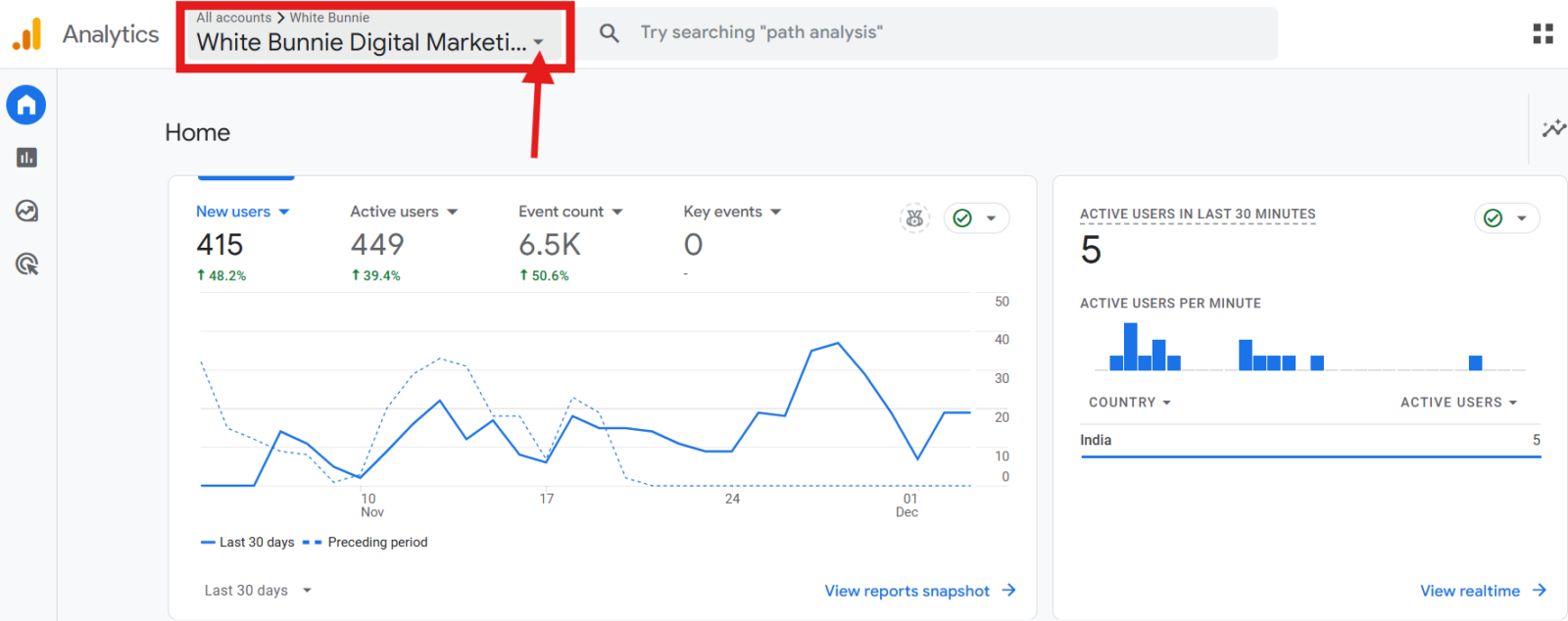
Navigate to the GA4 property where you want to set up the Thank You page goal.
Ensure you know the exact URL of your Thank You page. For example, if users land on https://www.example.com/thank-you after completing a form, note this URL. Accurate URL tracking is essential for initiatives like E-commerce Tracking in GA4, where thank-you pages often mark purchase completions.

For more advanced configurations, such as Cross-Domain Tracking in Google Analytics 4, ensure your tracking setups align across domains to capture accurate data.

Setting this as a conversion event is particularly helpful when optimizing tracking efforts, including How to Track User Behavior in GA4, as it ensures key actions are recorded effectively.


You can also refine your data analysis by learning How To Exclude Internal Traffic in GA4 Using IP Filtering. This ensures that internal activities don’t skew your conversion metrics, helping maintain data accuracy. For example, using IP Filtering to block employee interactions can provide cleaner insights into user behavior.
Tracking Thank You page visits as a conversion in GA4 provides valuable insights into user behavior and campaign success. With the right GA4 consulting, you can streamline the setup process, ensure accurate tracking, and gain actionable data to measure the impact of your marketing efforts effectively. By leveraging these insights, you can optimize your strategies and achieve better results.

Saurabh Garg, the visionary Chief Technology Officer at Whitebunnie, is the driving force behind our cutting-edge innovations. With his profound expertise and relentless pursuit of excellence, he propels our company into the future, setting new standards in the digital realm.

With Universal Analytics being sunset in favor of Google Analytics 4 (GA4), E-commerce tracking is essential to understanding your online […]
Read Post »
Google Analytics 4 (GA4) has introduced several privacy-focused changes, one of which is data thresholding. It strengthens anonymity but also […]
Read Post »
We all want good traffic on our platforms. But what if there is traffic but not identified. Sounds weird, right? […]
Read Post »
Copyright © 2026 White Bunnie -All Rights Reserved



