


Introduction to Meta Business Suite: Overview & Features
-
Author
Saurabh Garg -
Publish
August 8, 2025 5:49 am -
Read Time
8 Min
 Lets talk











Fill in the Form below for a no-string attached free technical discussion.
Tired of switching between Facebook, Instagram, and Messenger toll manage your business presence? You post on one, answer comments on another, and check your ad performance on a third. It feels scattered and inefficient.
If this sounds familiar, you need to know about the Meta Business Suite.
This free tool is designed to bring your Facebook and Instagram marketing into one central place. Think of it as your command center. It helps you save time, stay organized, and get a clearer picture of what works. This guide breaks down what the Meta Business Suite is, its core features as of July 2025, and how you can use it for your business.
Before diving in, let’s understand what is Meta. The Meta Business Suite is a single dashboard where you can manage all your connected Facebook Pages and Instagram professional accounts. Before this tool, businesses used separate tools like Facebook Pages Manager and Creator Studio. The suite combines the functions of these older tools into one, unified interface.
Before this tool, businesses used separate tools like Facebook Pages Manager and Creator Studio. The suite combines the functions of these older tools into one, unified interface.
It’s especially useful for users comparing Meta Business Manager vs. Meta Business Suite. While Business Manager focuses more on managing ad accounts, employees, and permissions, the Business Suite offers a user-friendly front end for daily social media management, making it ideal for content planning, posting, and engagement.
It’s built for business owners, social media managers, and marketers who handle one or more brands on Meta’s platforms. The goal is simple: make managing your social media easier so you can focus on your business.
The Meta Business Suite has many features, but a few stand out as essential for daily management. Here are the ones that provide the most value.
This is perhaps the most powerful feature. Your inbox combines all notifications in one stream:
You can reply to everything from one screen. You can also set up automated responses for frequently asked questions, like your business hours or location, which saves a huge amount of time. This becomes especially efficient when you connect Instagram and Facebook Business account within the Suite.
Instead of creating posts inside each app, you can do it all from the suite.
Data can feel overwhelming. The Insights tab simplifies it. It shows you the important metrics without the clutter. You can quickly see:
This helps you understand your audience and create more of the content they love.
While Ads Manager remains the tool for complex campaigns, the Meta Business Suite provides a simplified ad creation process. You can easily boost a successful post or create a simple ad campaign to drive website visits or generate leads. It’s a great entry point for those new to Facebook and Instagram advertising.
Let’s imagine a small bakery, “The Rolling Pin,” uses the Meta Business Suite.
On Monday morning, the owner, Sarah, logs in.
In just 20 minutes, Sarah has managed her community, planned her content, learned from her data, and launched a small ad campaign. That is the power of a centralized dashboard.
The Meta Business Suite is an excellent tool for most small to medium-sized businesses, creators, and marketers who manage a presence on Facebook and Instagram.
Not sure how to create Meta Business Manager? Start by going to business.facebook.com. There, you can create your Meta Business Portfolio, which acts as a container for all your business assets—like Pages, ad accounts, and people. From there, you’ll be guided through setting up your Meta Business Manager, and once that’s done, you’ll have access to the Meta Business Suite.
The Meta Business Portfolio structure makes it easier to manage multiple brands or projects under one account, especially for agencies and marketers.
The Meta Business Suite is a practical, no-cost tool that removes the friction from social media management. By bringing your key tasks under one roof, it lets you work smarter, not harder.

Saurabh Garg, the visionary Chief Technology Officer at Whitebunnie, is the driving force behind our cutting-edge innovations. With his profound expertise and relentless pursuit of excellence, he propels our company into the future, setting new standards in the digital realm.
Connecting your Instagram and Facebook business accounts brings everything together in one place. You gain a single dashboard for posting, […]
Read Post »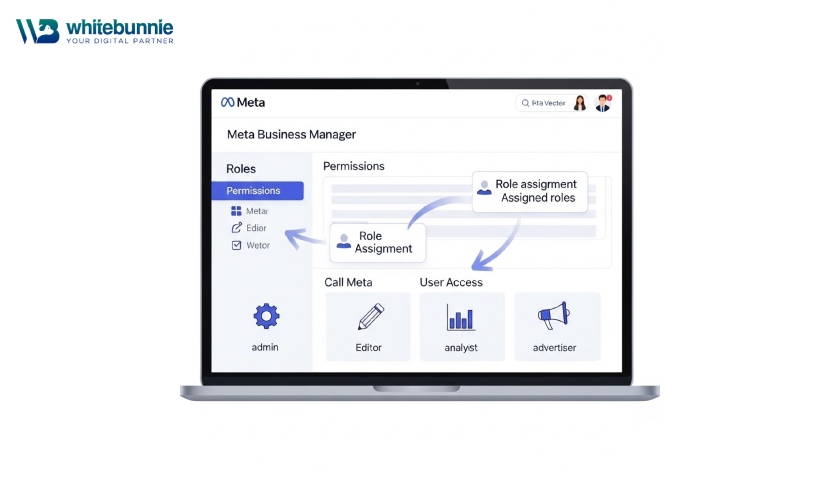
Meta Business Manager (also known as Business Portfolio) is your central hub for managing Facebook and Instagram assets. It replaced […]
Read Post »
Running a thriving business on Facebook and Instagram demands more than occasional posts—it requires a well-organized hub that keeps everything […]
Read Post »
Copyright © 2026 White Bunnie -All Rights Reserved



