


What is a Meta Business Portfolio & How to Structure It Properly
-
Author
Saurabh Garg -
Publish
July 28, 2025 7:32 am -
Read Time
12 Min
 Lets talk











Fill in the Form below for a no-string attached free technical discussion.
Running a thriving business on Facebook and Instagram demands more than occasional posts—it requires a well-organized hub that keeps everything in sync Whether you’re a small-business owner, an in-house marketer, or an agency overseeing multiple clients, a thoughtfully built Meta Business Portfolio streamlines your workflow and protects your brand’s assets.
Formerly known as Facebook Business Manager, a Meta Business Portfolio is your command center for all things Meta. It brings together your Facebook Pages, Instagram accounts, ad campaigns, pixels, catalogs, and more into a single dashboard. No more juggling personal logins or giving team members unfettered access to your personal profile; everything lives in one secure, business-only space.
If you’re still wondering what is Meta and how it governs platforms like Facebook and Instagram, your Portfolio is where it all comes together.
Though their names are similar, these tools serve different roles.
– Meta Business Portfolio handles ownership and permissions—think of it as the skeleton supporting your entire Meta presence.
– Meta Business Suite focuses on daily operations: crafting posts, scheduling content, replying to messages, and viewing basic analytics.
By setting up your Portfolio correctly, you unlock all the features of the Suite. If you’re new to Meta, we recommend reading our comprehensive guide on the difference between Meta Business Manager vs Meta Business Suite.
Using a Portfolio means you never share your personal Facebook password with anyone. You grant people precisely the access they need—and you can revoke it instantly when roles change.
Each teammate gets their own login and a clear set of permissions. No more scrambling when someone leaves the company or mix-ups between personal and business profiles.
Verified Business Portfolios boost trust. Verification can improve ad delivery, raise spending limits, and signal to customers that you’re a legitimate, established brand especially crucial for agencies offering social media marketing and digital services.
Make sure you have:
A personal Facebook account (at least a week old)
A dedicated business email address
Your company’s basic info (address, phone, website)
Clarity on who will manage which assets
Go to business.facebook.com on desktop. Log in with your personal account; if it’s your first time, you might need to set up a Page before anything else.
Click your profile icon in the top-left, choose “Create a business portfolio,” and fill in:
Business Name (your official name)
Your Name (you as the admin)
Business Email (shared by your team)
Contact Info (accurate address and phone)
– Facebook Pages: Add existing pages or create new ones.
– Instagram Accounts: Link your business profile.
– Ad Accounts: Either claim an existing account or create one (new portfolios start with a single ad account), ideal for Meta Ad Management needs.
In Business Settings, complete your profile details—this is essential for verification:
Full address
Phone number
Website URL
Company description
Industry category
Most businesses do best with one main Portfolio. Inside it, group assets by function, region, or brand. Use clear, descriptive names so everyone knows what belongs where.
Grant Admin Access only to owners or top executives. Assign Employee Access for daily managers, and set Asset-Specific Roles for specialists who only need to run ads or post content.
For multiple brands or locations, Asset Groups are a lifesaver. For example, group by:
Geography (East Coast vs West Coast stores)
Product lines (Apparel vs Accessories)
Departments (Marketing vs Support)
Require two-factor authentication for all admins. In Business Settings → Security Center, turn it on and add backup methods so no one gets locked out.
Upload official docs—business registration, tax IDs, utility bills—to earn verification. Verified portfolios enjoy higher ad limits and better protection against impostors.
Designate at least one backup admin. If the primary admin loses access, your backup can step in immediately.
Don’t run business tasks from personal Facebook accounts.
Fill out every field in your Business Info—omissions can trigger restrictions.
Always keep asset ownership under your own Portfolio, never an agency’s.
Avoid over-sharing Admin rights.
Audit user roles regularly and remove people who no longer need access.
Keep a log of who can access what to prevent confusion.
Enforce strong passwords and never share them.
Pay attention to Meta’s security alerts and policy updates; they matter.
A three-location restaurant chain might have:
One Portfolio owned by the founder
Three Asset Groups (one per restaurant)
Owner as Admin, Marketing Manager as Employee, each Store Manager with location-specific roles
Separate ad accounts for local versus regional promos
A digital agency handling 15 clients uses:
An agency Portfolio for its own marketing
Client-owned Portfolios for each client
Partner access granted to the agency
Asset Groups by service type (social, ads, e-commerce)
Role-based user permissions matching team structure
A multi-brand corporation can set up:
A Master Portfolio for corporate oversight
Individual Brand Portfolios
Regional Asset Groups within each brand
A clear hierarchy of Corporate Admins, Brand Managers, and Regional Coordinators
One unified verification process covering all brands
Quarterly, review:
Who has Admin rights
Asset-specific permissions
Inactive or former employees still in the system
Updated contact details
Use Meta Business Suite analytics to track:
Team response times
Consistency in content publishing
Ad performance by asset group
Engagement across pages
As your company expands, add new Asset Groups, shift permissions for evolving roles, and include any new Pages or Ad Accounts.
Subscribe to Meta’s business newsletter, join community forums, and keep in touch with support to catch new features and rule changes early.
Build your structure to grow—plan for more team members, locations, products, and rising ad budgets.
Link your Portfolio to:
CRM platforms (e.g., Salesforce)
E-commerce systems (e.g., Shopify)
Email marketing tools (e.g., Mailchimp)
Analytics dashboards (e.g., Google Analytics)
A well-structured Meta Business Portfolio is the bedrock of social media success on Facebook and Instagram. By following these steps—setting up assets logically, managing user access carefully, and keeping security tight—you’ll save time, reduce risk, and be ready to scale. Whether you’re just starting or managing a global brand, these practices ensure your business stays secure, organized, and primed for growth.

Saurabh Garg, the visionary Chief Technology Officer at Whitebunnie, is the driving force behind our cutting-edge innovations. With his profound expertise and relentless pursuit of excellence, he propels our company into the future, setting new standards in the digital realm.
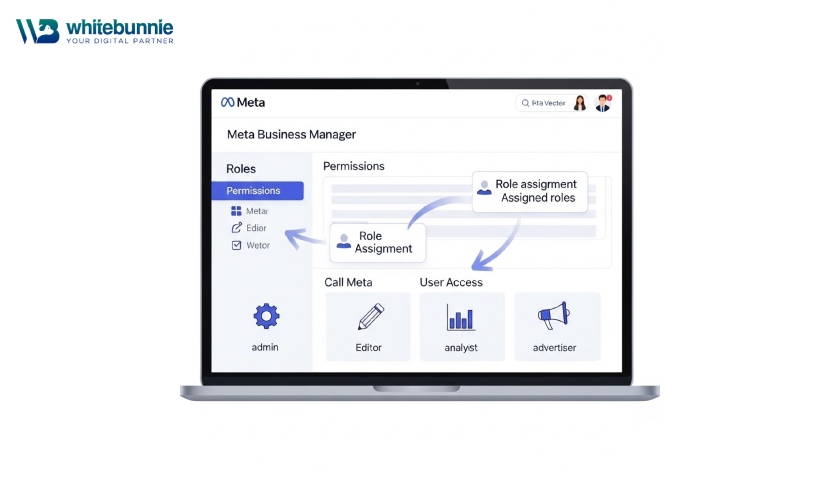
Meta Business Manager (also known as Business Portfolio) is your central hub for managing Facebook and Instagram assets. It replaced […]
Read Post »
Tired of switching between Facebook, Instagram, and Messenger toll manage your business presence? You post on one, answer comments on […]
Read Post »
Connecting your Instagram and Facebook business accounts brings everything together in one place. You gain a single dashboard for posting, […]
Read Post »
Copyright © 2026 White Bunnie -All Rights Reserved



