


Generative AI Performance Report Not Showing in Search Console? Who Gets It and Why
-
Author
Saurabh Garg -
Publish
July 2, 2026 11:37 am -
Read Time
6 Min
 Lets talk











Fill in the Form below for a no-string attached free technical discussion.
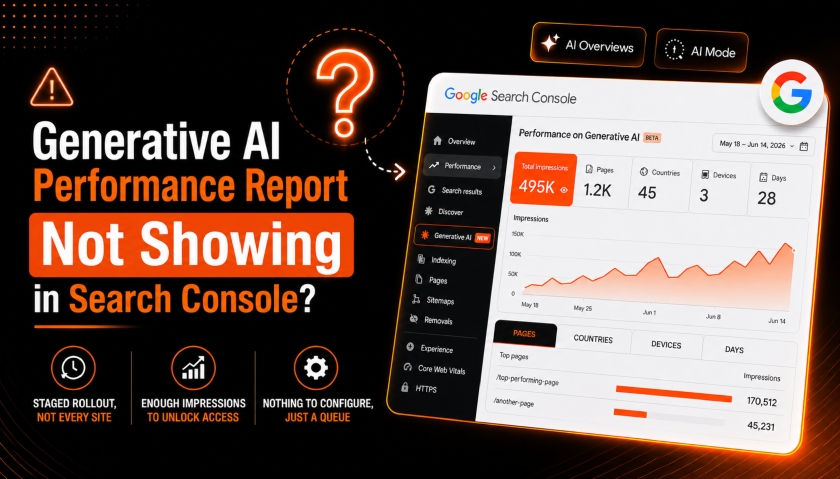
The generative AI performance report is not showing in your Search Console, but you have seen screenshots of it in other accounts. Two things decide whether the report appears. First, whether your property is in Google’s staged rollout yet. Second, whether your site has recorded enough impressions in generative AI features to populate it. There is nothing to configure, and a missing report signals nothing wrong with your site.
It’s live in some properties and missing in others, with no button to switch it on. Here is who gets it, why, and what to do while you wait.
Google’s own help documentation names the reasons directly, and there are only two. Your property has not been included in the rollout yet. Your site has not received enough impressions for generative AI features on Google Search.
Generative AI features here mean AI Overviews and AI Mode: the AI-generated answers that appear above or in place of standard results. Google launched the dedicated report on June 3, 2026, and stated plainly that it is rolling out to a subset of websites first, to test and gather feedback before wider release.
So if you cannot see it, start by assuming you are simply not in the current subset. That is the most common reason by a wide margin, and it is the one you have no control over.
No, the report began with a subset of UK site owners, which is where the UK-only idea comes from. It has already expanded past that.
By late June 2026, site owners in India will be seeing the rollout of the generative AI performance report underneath the search console dashboard. Google’s own documentation frames eligibility around rollout stage and impression volume, never around region.
We have confirmed this from our own accounts. One high-visibility property we manage in India shows the report in full.
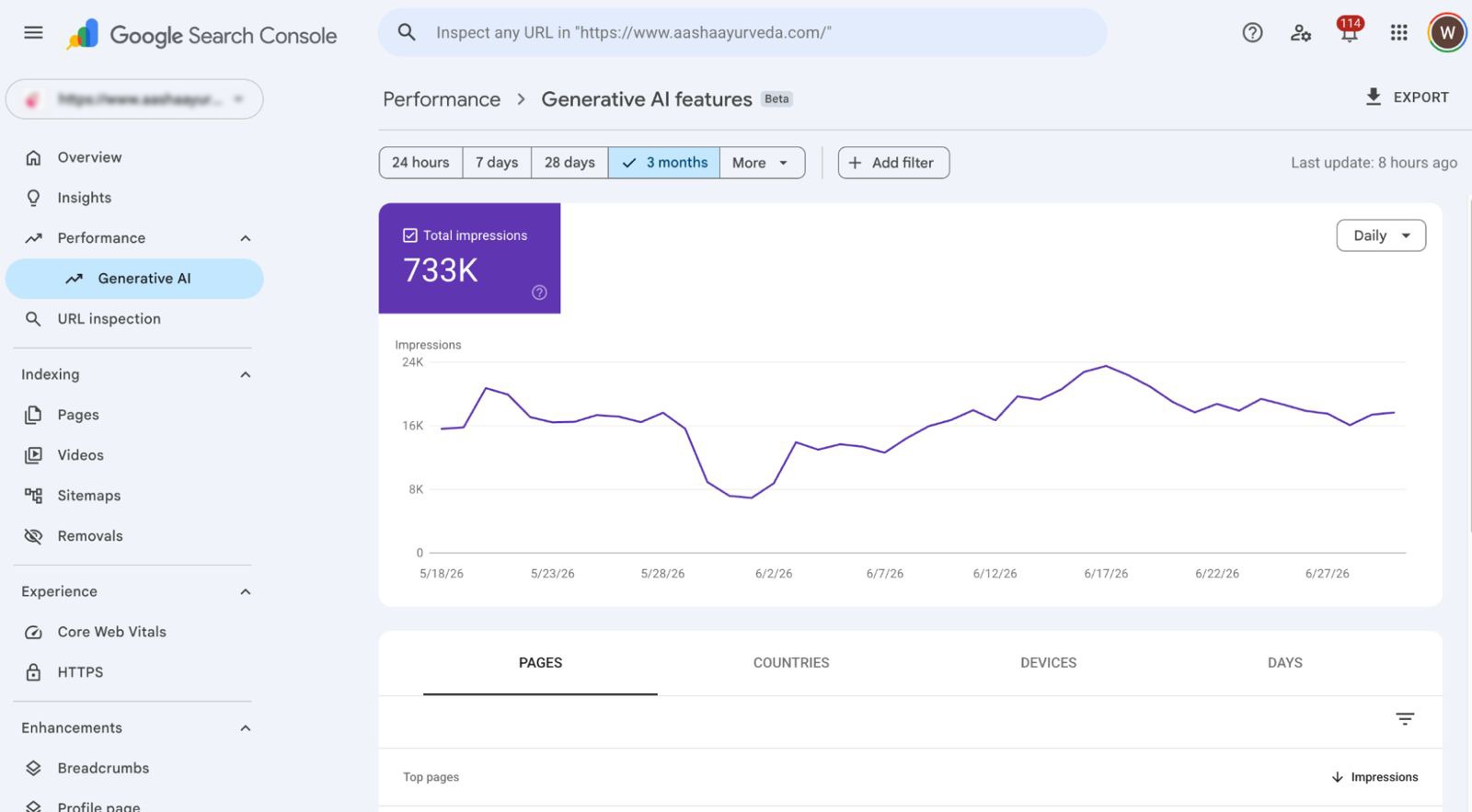
Source: Screenshot taken from the dashboard of the search console of a website from India being managed by White Bunnie
Over a 28-day window, the account has recorded 495,000 impressions in generative AI features. A single top page carried more than 170,000 of them. Other properties we manage in the same country, with lower gen-AI visibility, still show nothing. Same region, split entirely on visibility.
If you assumed you were locked out because you are outside an eligible region, that assumption is costing you nothing except worry. Location is not the gate for the rollout of the generative AI performance report.
There is nothing to configure, so stop looking for a toggle that enables the report. Google’s documentation points you to “include your site” in generative AI features as the eligibility step. During the partial rollout, that supporting page is not reachable in every account, and some owners land on a “Page couldn’t be found” screen when they try.
That 404 is the rollout, not your configuration. John Mueller of Google addressed the pace directly, saying the team is rolling these out incrementally to sites and reviewing feedback along the way, and asking site owners for patience. Absence of the report is not a penalty, a flag, or a sign that your content has been demoted. It is a queue.
Google has not published a specific impressions threshold, and you should be sceptical of anyone who claims to know the exact number. The help doc only says your site “hasn’t received enough impressions in generative AI features” to populate the report. No figure is attached.
What we observe across accounts is consistent with a visibility floor; the properties that get the report early are the high-visibility ones already earning meaningful AI-feature impressions. The fastest route to eligibility is not a request form. It is earning more impressions in AI features.
The report is impressions-only for now; no clicks, no queries, no average position. The data appears to start from around May 18, 2026, with no historical backfill. For a full breakdown of every metric the report exposes and how to read it, see our companion guide on what the generative AI performance report shows and how to interpret impressions-only data.
A missing report does not mean you have opted out of AI features, and these two things get conflated constantly. Alongside the report, Google shipped a separate Search generative AI control. It is a toggle that controls whether your site can appear in AI Overviews, AI Mode, and AI Overviews in Discover. Google began taking that setting into account on June 17, 2026.
If you exclude your site, your content stops appearing in those AI features, which means you forfeit AI impressions and any traffic they send. Google has confirmed this control is not used as a ranking signal for the rest of Search. Your blue-link rankings do not change. But opting out and then wondering why your gen AI report is empty is a self-inflicted problem worth ruling out.
You cannot force your way into the rollout, but you can make sure you are ready the moment your wave lands and you can raise the impression volume that triggers eligibility. This takes about 20 minutes to set up and then a few minutes a week.
Why don’t I see the generative AI performance report in Search Console?
Almost always because your property has not been included in Google’s staged rollout yet. The two other reasons Google lists are that your site has not received enough impressions in generative AI features or that you have excluded your site using the Search generative AI control.
Is there a traffic requirement for the generative AI performance report?
There is an impression requirement, not a published traffic number. Google says a site needs enough impressions in generative AI features to populate the report but has not stated a threshold. In practice, high-visibility properties receive access first.
How do I become eligible for the AI Overviews report?
Make sure your site is included in Search generative AI features under Settings, keep your key pages crawlable, indexed, and clearly structured with relevant schema, and raise the impressions your pages earn in AI features. There is no request form; eligibility follows the visibility and rollout stage.
Does missing the report mean I’m opted out of AI features?
No. A missing report usually means you are not in the rollout yet. Opting out is a separate, deliberate action in the Search generative AI control. If you have not changed that setting, you are still included.

Saurabh Garg, the visionary Chief Technology Officer at Whitebunnie, is the driving force behind our cutting-edge innovations. With his profound expertise and relentless pursuit of excellence, he propels our company into the future, setting new standards in the digital realm.
In the dynamic world of digital marketing and SEO, the LLMS.txt file has emerged as a noteworthy innovation. As businesses […]
Read Post »
In 2025, content pillars are no longer a buzzword—they’re the backbone of effective SEO and audience trust. What once began […]
Read Post »
If you think about being at the top of Google searches, and lots of people finding your website easily is […]
Read Post »
Copyright © 2026 White Bunnie -All Rights Reserved