


How 404 Error Pages Affect Your Website’s Crawl Budget
-
Author
Saurabh Garg -
Publish
January 9, 2025 12:31 pm -
Read Time
9 Min
 Lets talk











Fill in the Form below for a no-string attached free technical discussion.
Have you ever wondered why some websites fail to rank at the top? While they might have good information or even might be simple, they fail. Well, this is mainly because of the performance and search engine visibility.
Having a website is not enough. You need to have proper website management, too. While there are various factors to look for, there is one which many people usually skip. This factor can impact the website’s performance quite negatively.
Yes, if you think it is 404 error pages, then you are right. While 404 errors may seem like minor inconveniences, they can significantly affect your website’s crawl budget. And trust us when we say that it is important for your SEO.
So, let us understand this simple yet critical error in the blog here.
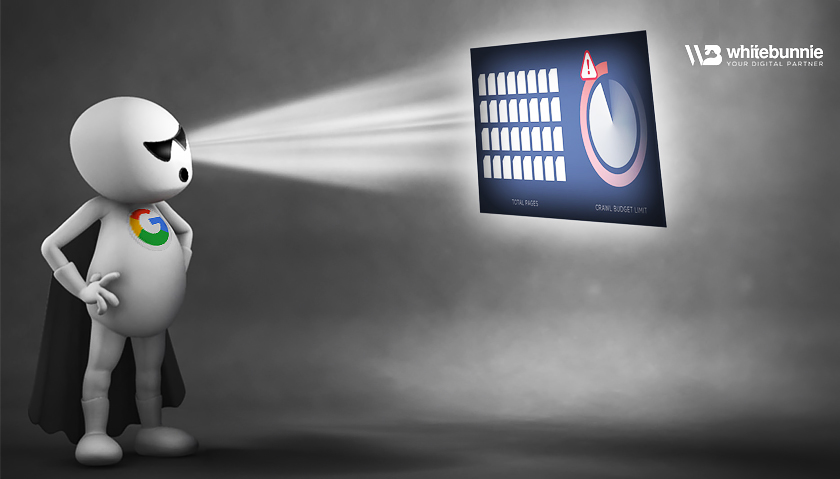
Do you know the crawl budget and 404 error page are linked? Well, this might sound surprising, but it’s true. But before that, let’s understand the crawl budget.
So, you must know that search engines like Google have special bots that scan your website. This scanning helps to understand the quality and relevance. This is important for getting the pages indexed. These bots are called crawlers or spiders.
To define, crawl budget is the total number of pages the bot will crawl on your website in a timeframe.
To understand this, here are some terms you must know:
So, if there is a limited crawl budget, then there are chances some pages might not be indexed. At times, this will leave crucial information aside.
404 error pages are widely known as “Page Not Found” errors. It occurs when a user or search engine tries to access a non-existent page on your site. Here’s how these errors can negatively affect your crawl budget:
Every time a crawler encounters a 404 error page, it wastes part of your crawl budget. This means that the crawler is wasting time on the wrong pages rather than spending time on valuable pages. Here, the crawler gets stuck indexing errors, reducing the time it spends on legitimate content.
When the search engine bot finds so many 404 errors, it indicates that your website may not be well-maintained. This can lead to a reduced crawl demand. This means search engines might lower the frequency of their visits to your site.
While this doesn’t directly affect the crawl budget, poor user experience caused by 404 errors can lead to higher bounce rates. Search engines use user behavior as a ranking signal. Now, if they detect dissatisfaction, they may prioritize crawling other, better-performing sites.

404 errors can impact your website greatly. But if you actually work in the right manner, you can avoid the 404 errors. To ensure 404 errors don’t harm your crawl budget, here are some tips that you should keep in mind:
Use tools like Google Search Console, Screaming Frog, or Ahrefs’ Site Audit to identify and track 404 error pages. Address these errors promptly to maintain your website’s health.
For pages that no longer exist, use 301 redirects to guide users and search engines to a relevant alternative page. This improves user experience and ensures crawlers are directed to valuable content.
Broken internal links can lead crawlers to 404 error pages. Conduct regular link audits and update any outdated or incorrect links within your site.
You must be wondering why we should do this. Well, there are so many reasons for it. The main one is that a well-designed custom 404 page can improve user experience. Include helpful navigation links and a search bar to keep users engaged with your site. Remember, this is a temporary solution, and it doesn’t directly save the crawl budget.
Ensure your XML sitemap includes only valid and valuable pages. Remove any URLs leading to 404 errors to guide crawlers efficiently.
If you have pages that don’t add value, such as outdated content or duplicate pages, block them using a robots.txt file to prevent crawlers from wasting your crawl budget.
To enhance your site’s SEO performance, it’s crucial to tackle 404 errors head-on. Here are a few proactive steps you can take:
404 Page not found error might seem like a minor nuisance, but their influence on your website’s crawl budget is anything but trivial. When search engines encounter these “Page Not Found” messages, they waste valuable resources that could be better spent indexing your site’s most important pages. This inefficiency can lead to missed opportunities for visibility and traffic.
By maintaining a healthy website, you not only improve user experience but also boost your search engine rankings. Don’t let 404 errors drain your crawl budget—start addressing them today!
Take action now and unlock the full potential of your website’s SEO! Your visitors—and your rankings—will thank you.

Saurabh Garg, the visionary Chief Technology Officer at Whitebunnie, is the driving force behind our cutting-edge innovations. With his profound expertise and relentless pursuit of excellence, he propels our company into the future, setting new standards in the digital realm.

We all want good traffic on our platforms. But what if there is traffic but not identified. Sounds weird, right? […]
Read Post »
If you run stores, clinics, salons or branches in more than one Indian city, the way people find you has […]
Read Post »
Introduction: Backlinks are a key factor in SEO, but not all backlinks are beneficial. Some links can actually hurt your […]
Read Post »
Copyright © 2026 White Bunnie -All Rights Reserved



